BBBryan BurkeVisit DoorSpan
All work

03 · Resident mobile web

A clearer experience for the people who live there

A focused resident mobile-web experience for obligations, alerts, maintenance requests, checklists, and communication, designed to remain useful through home-screen access and intermittent connectivity.

DoorSpan — AI that drives the work. Bring your properties, people and next steps together.

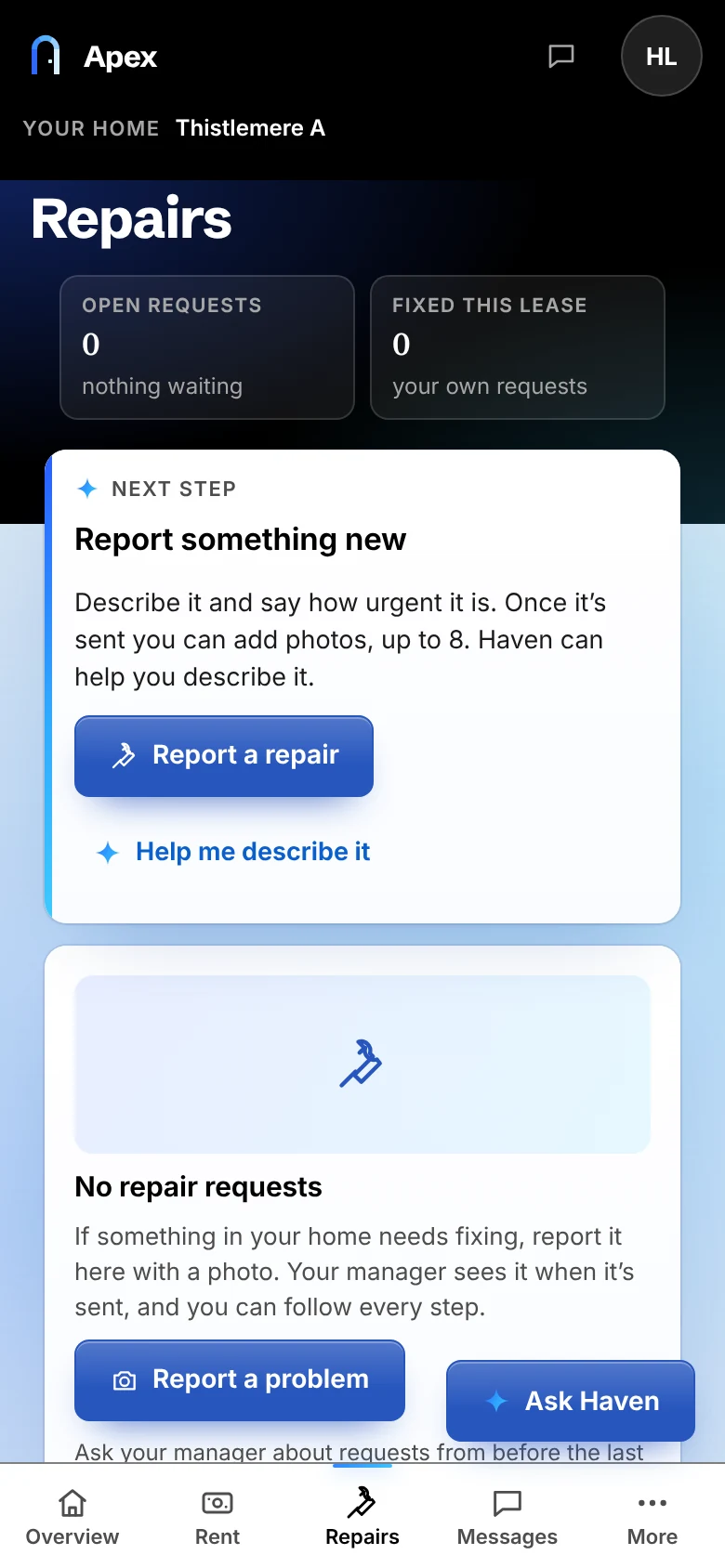
DoorSpan Home, Repairs: Report something new, with Report a repair and Help me describe it
Role
Owner and product lead
Product context
DoorSpan
Planned release
Beta Coming Soon

01 / The resident’s side

Report it, share it, then see what happens next.

This is the same repair as the DoorSpan case study, seen from the tenant’s phone. Hannah reports the drip, shares a photo and the times that work, then sees her manager’s update.

1Report the issue

Hannah reports the drip from her phone.

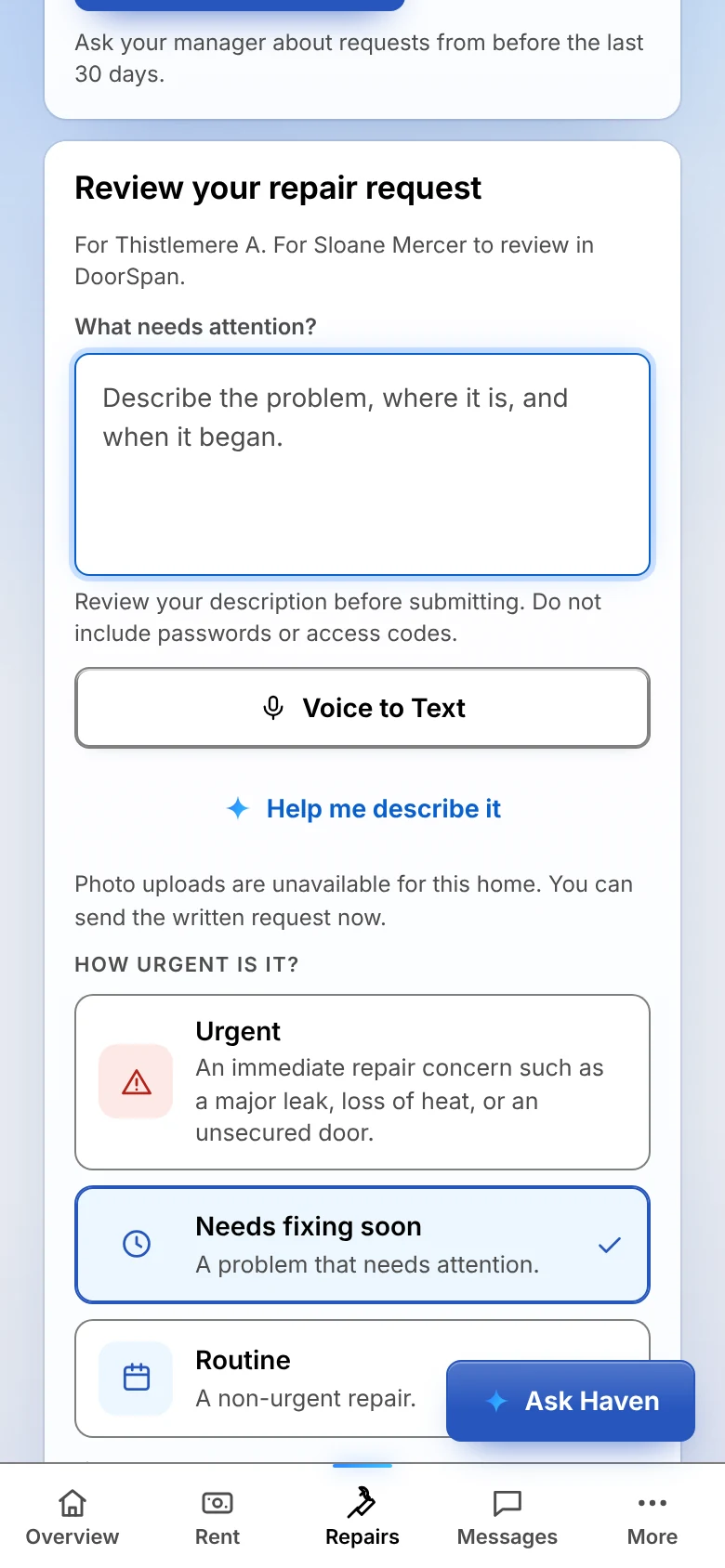
In DoorSpan Home, Repairs has one clear next step: Report a repair. Hannah describes the problem, where it is and when it began, picks how urgent it is, and sends it to Sloane Mercer, her manager, to review in DoorSpan.

  • Type it, or use Voice to Text
  • Help me describe it, when she wants it
  • Urgent, Needs fixing soon or Routine
DoorSpan Home, Review your repair request: what needs attention, Voice to Text, Help me describe it, and how urgent it is
2Share a photo and available times

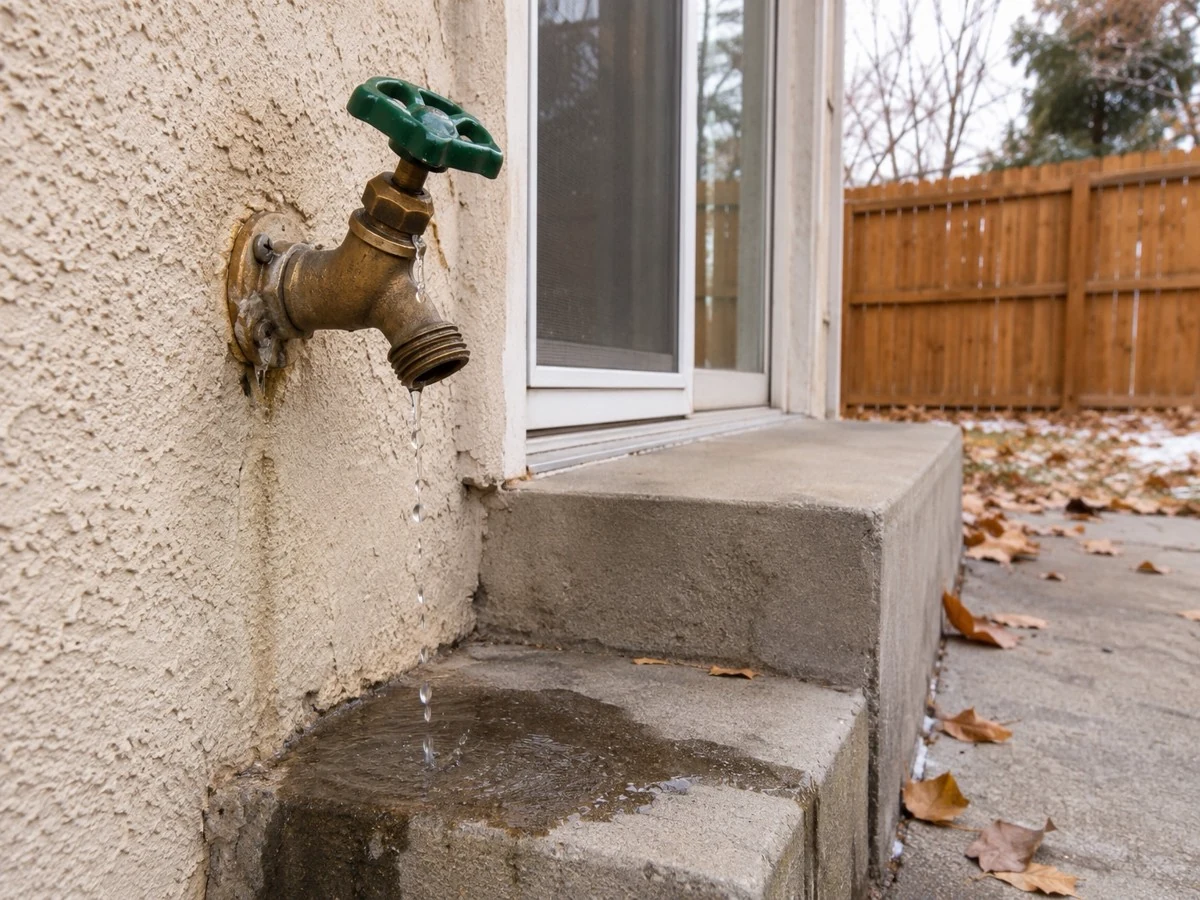
She adds a photo and the times that work.

After she sends the request, Hannah adds a photo. When visit times are available, she picks the times she can be home. Otherwise, she can send her availability to her manager in Messages.

  • Up to 8 photos, added after sending
  • Her available times, kept with this repair
Hannah’s photo: the outdoor faucet beside the patio steps, dripping
Hannah’s photo
3See the manager’s update

Sloane’s update arrives where the repair lives.

Hannah reads Sloane’s reply in Messages. In Repairs, she sees the status of her request and the visit time once it’s scheduled and recorded.

Hi Hannah, thanks for the photo of the outdoor faucet. José Flores, our plumber, has the job, and we’ll get the drip fixed tomorrow morning. I’ll confirm the visit time with you. — SloaneSloane’s reply, from the manager’s side of this repair

Screens from DoorSpan’s demo with Apex, a made-up company. Every name, address and figure is fictional.

DoorSpan

Three experiences. One operating context.

Built as one connected system for the people who own, operate, and live in rental homes. Haven is the permission-aware workspace inside DoorSpan—not a separate portfolio product.

02 / Context

The operating problem

A rental system cannot be coherent if it only works for the operator. Residents need a direct way to understand what is due, report what is wrong, see what happens next, and keep communication in context.

03 / Judgment

The decision behind the interface

I separated the resident experience from the operator workspace so each audience sees the work, language, and decisions that belong to them while both remain connected to the same operating record.

04 / System

What the product has to connect

  • 01Obligations and alerts in one clear view
  • 02Maintenance requests connected to follow-through
  • 03Move-in, move-out, and recurring checklists
  • 04Communication tied to the relevant home and work

DoorSpan

Explore the connected DoorSpan product story.

DoorSpan — AI that drives the work. Bring your properties, people and next steps together.

Bryan Burke

Let’s compare notes on what you are trying to build.